Pro Tips
Updates
Master Your Site Walk: How to Record Photos on Plan Like a Pro
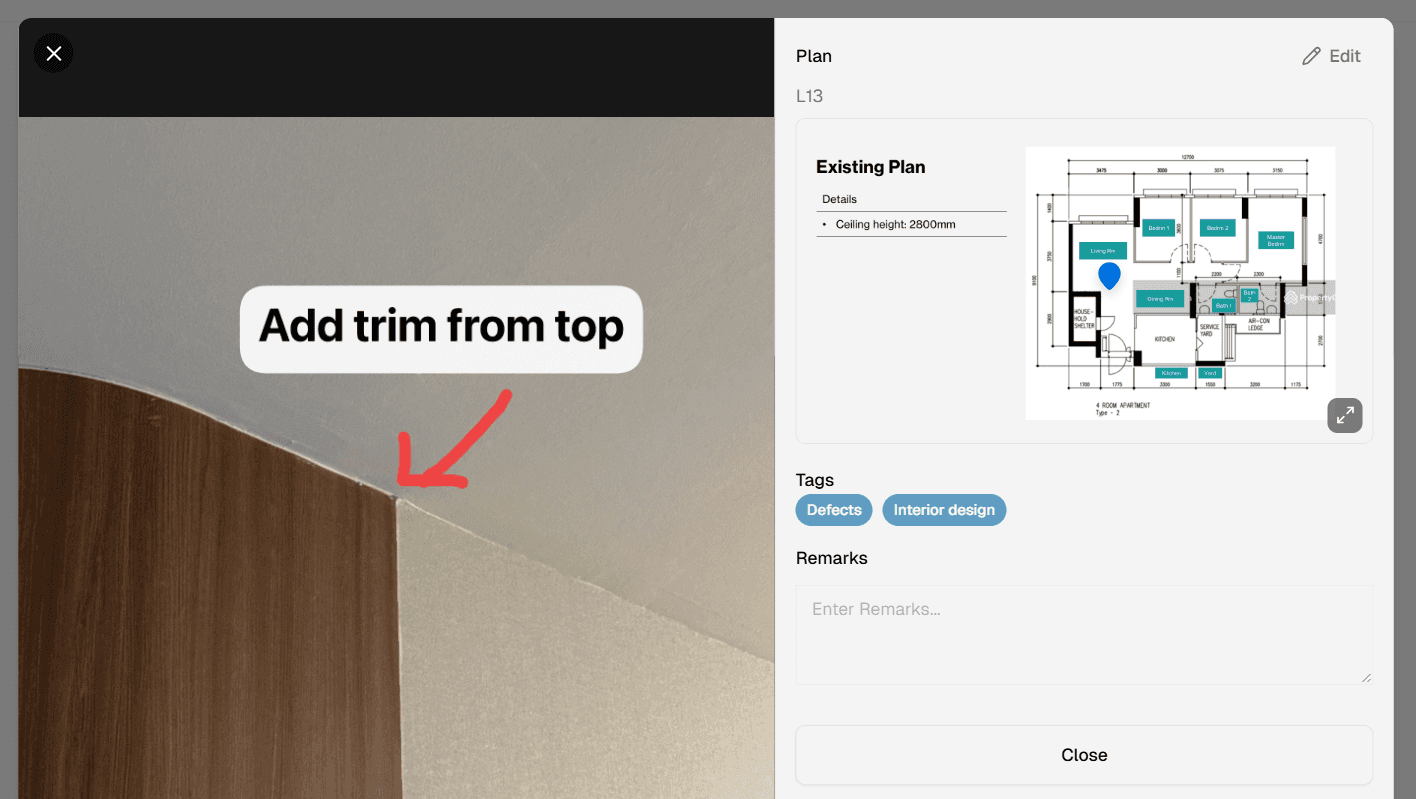
Image Credit:
Otus.build
🚧 Master Your Site Walk: How to Record Photos on Plan Like a Pro
A great site walk is more than checking progress. It is leadership in motion.
It is your chance to anticipate problems, visualize next steps, and prevent minor issues from becoming major delays. But effective construction photo documentation requires more than snapping pictures. It requires structure.
Without it, critical details disappear quickly—studies show that 56% of details are forgotten within 60 minutes of an event.
The Traditional 5-Step Pro Workflow
Experienced field teams follow disciplined methods to stay in control during inspections.
Always Carry the Plan
Bring the relevant floor layout to navigate effectively and identify missing installations.Use Contrasting Ink
Annotate with a color that stands out clearly against the drawing.Photograph Every Discussion Point
Capture every defect, milestone, and clarification for visual proof.Mark the Exact Location
Indicate precisely where each photo was taken to avoid ambiguity later.Record Actionable Issues
Write down specific items requiring follow-up to ensure accountability.
This workflow is thorough. But it is slow.
The Friction of Analog Processes
After the walk, the real work begins.
Photos must be matched to handwritten notes.
Issues must be typed and formatted.
Reports must be manually compiled and distributed.
What should take minutes often consumes hours. Daily site reporting becomes administrative drag instead of operational control.
The Digital Upgrade: One Tap, Five Seconds
Modern tools eliminate this friction.
Using a dedicated construction photo app like Otus, the first four traditional steps collapse into one streamlined action.
Instead of juggling paper:
Save your project plans digitally inside the app
Walk the site with your mobile device
Tap directly on the plan
Add photos instantly using photo pin to plan
Apply customized tags
Add a short description
Each entry takes about five seconds.
That is the power of structured mobile site documentation.
Lead Your Site Walk Like a Pro
Paper processes served their time. But today’s projects demand faster response, tighter coordination, and reliable documentation.
By upgrading to digital construction photo documentation, you transform site walks from reactive inspections into proactive control systems.
Stop letting paperwork slow you down.
Streamline your next site walk with Otus—and move from observation to action in seconds.