
Photo Management
Pro Tips
Why Tagging Is the Backbone of Site Documentation
Joseph, Co-founder

Image Credit:
Otus.build
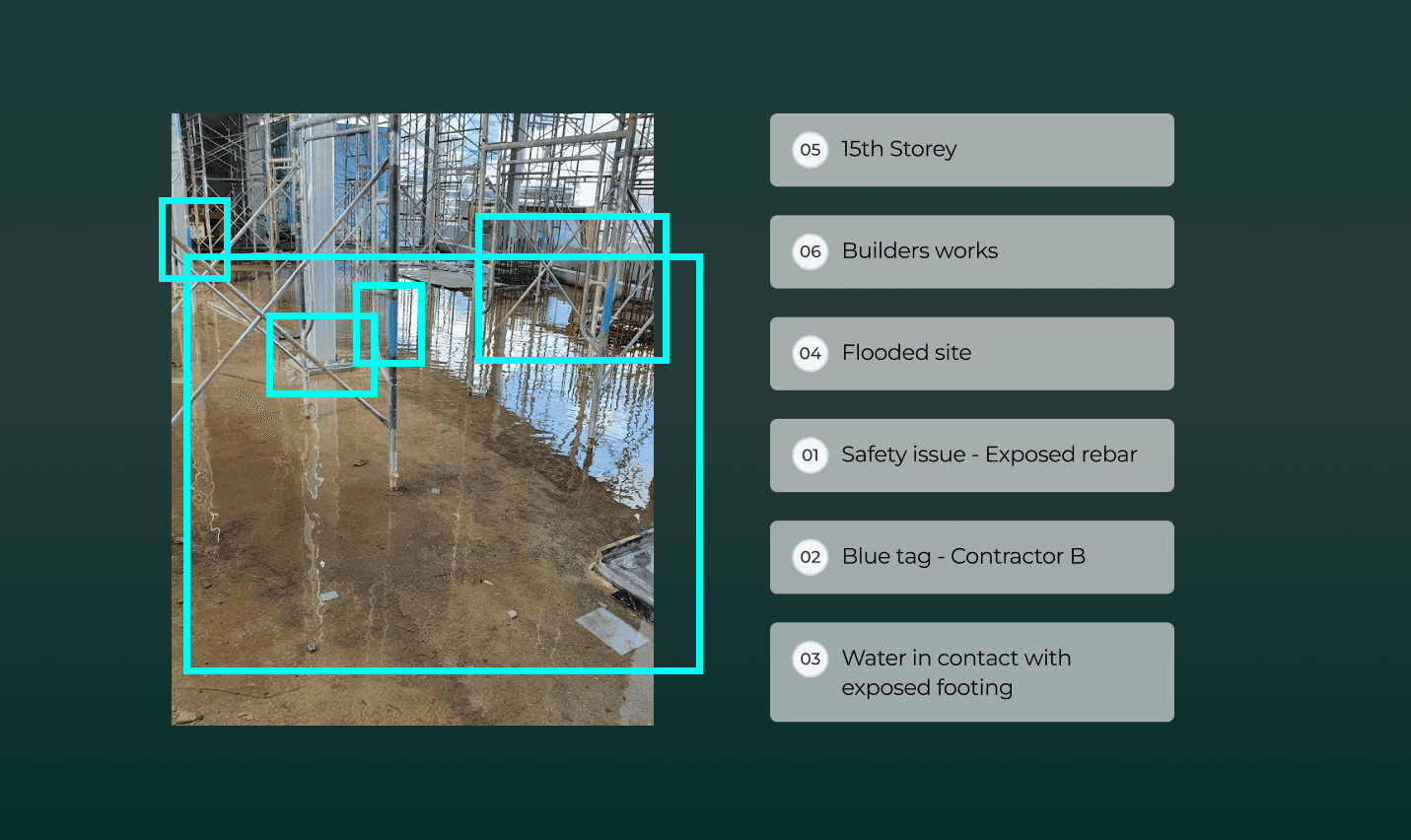
Tagging means adding a few consistent labels to each site photo when it is taken: where it is, which trade it belongs to and what state the work is in. Those labels turn thousands of camera-roll images into a record you can filter in seconds, which is what makes construction photo documentation useful for reports, claims and handover.
Why untagged photos stop being useful
Photos are the most common record on site and the least organised. On most projects they sit in scattered folders, chat groups and personal phones with no context attached. FMI and PlanGrid's 2018 survey found construction staff spent 5.5 hours a week looking for project data. Untagged photos are a large part of that search.
At Otus, we think structured tagging is one of the most underrated habits in construction.
What a tag tells you
A tag answers what the photo shows, where it was taken and why it matters.
If you tag a photo with | You instantly know |
|---|---|
A trade, like M&E or plumbing | Who owns the work |
A level, zone or room | Where the photo belongs |
A task, like tiling or concreting | What is being documented |
A status, like open or resolved | Whether an issue is still pending |
A starter tag library
Keep it short. Ten to fifteen tags covers most projects, and a short list is one that people actually use on site.
Group | Example tags |
|---|---|
Location | #B1, #L01 to #L20, #Roof, #ExtWorks |
Trade | #Structure, #Architecture, #M&E, #Plumbing, #FireProtection |
Status | #Progress, #Defect, #Rectified, #ForInfo |
Stage | #BeforeCover, #Handover |
Agree the list at a coordination meeting before photos start, and resist adding tags mid-project unless a new trade arrives.
Manual tagging still works
Not every site is ready for automation. Many teams still run on paper, PDFs and phone galleries, so tagging has to be quick enough to do on the spot. In Otus it takes a tap:
Step in Otus | Outcome |
|---|---|
Take the photo on site | Timestamped and linked to the project automatically |
Apply tags (location, trade, status) | Searchable context added to the image |
Pin the photo to the floor plan | Shows exactly where the work is, with camera direction |
Sync to the cloud | The whole team can see it from any device, including after working offline |
Where tags pay off
Tagging helps with | So that you can |
|---|---|
Daily site reporting | Build the report from a filter, in minutes |
Issue tracking | See every open defect by trade or level |
Defect patterns | Spot the same problem recurring across floors |
Inspections | Pull the photos for one area before the inspector arrives |
Handover | Deliver a complete, organised photo record |
Over time the tags build a visual record that is as detailed as your drawings, and the habit is also the foundation for AI search later. Otus already lets you search photos by describing what is in them, and tags make those results sharper.
What you can do in Otus
See every photo's location on the plan, with the direction the camera was facing
Filter by tag, author or date
Search by describing what is in the photo
Raise tagged photos as issues and assign them
Export tagged photos to a PDF or PowerPoint report
FAQ
How many tags should a construction project use?
Ten to fifteen, grouped by location, trade, status and stage. More than that and people stop applying them consistently.
Should I tag photos on site or later in the office?
On site, at the moment of capture. Context is forgotten quickly, and tagging later rarely happens.
Do tags replace pinning photos to the plan?
No. Tags tell you the level or trade; a plan pin tells you the exact spot. Use both.
Related guides
Start tagging on the Otus Free plan, up to 3 projects. See pricing.